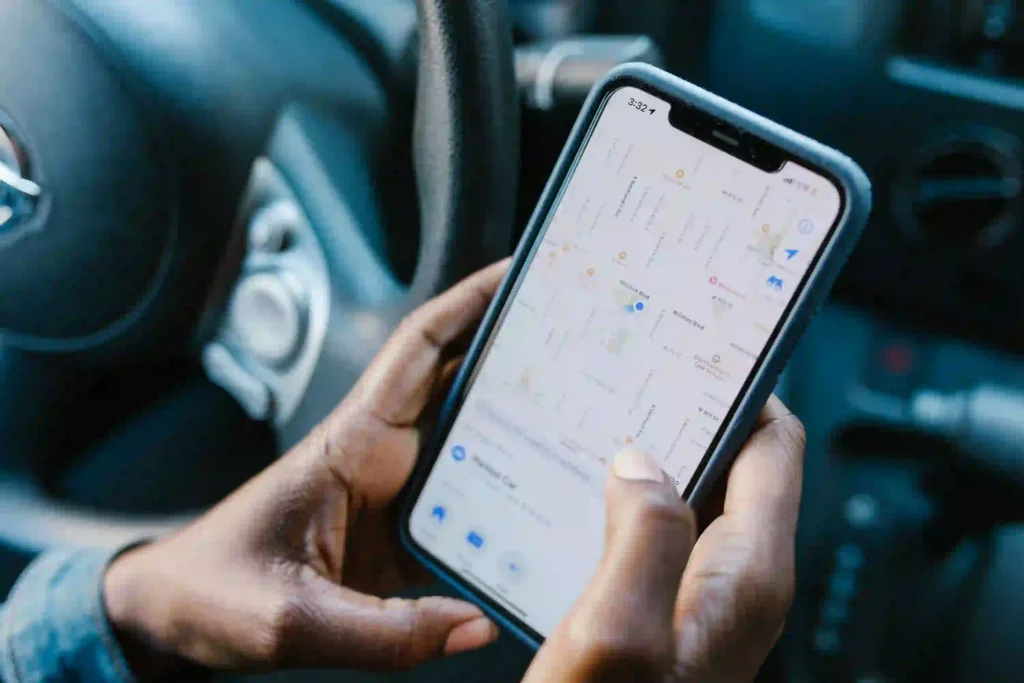


Duplicate Google Business Profile listings can silently damage your Map Pack visibility by splitting authority across multiple profiles. Instead of strengthening your presence, Google gets confused about which listing should rank for your business.
This usually leads to suppression, reduced rankings, or complete removal from the Map Pack for key local searches.
In simple terms, your business isn’t losing trust-it’s losing clarity.
This Intro paragraph explains how duplicate listings cause authority conflicts, why Google suppresses competing profiles, and how to fix them to restore stable Map Pack rankings.
Why Duplicate Google Business Profile Listings Cause Map Pack Suppression
Duplicate Google Business Profile listings create confusion for Google when deciding which profile should rank. Instead of strengthening visibility, multiple listings split authority and reduce overall ranking power in the Map Pack.
How Google Identifies Duplicate Listings
Google detects duplicates by comparing business name, address, phone number, and location signals. When multiple profiles show similar data, Google may treat them as competing listings for the same business.
Authority Dilution Across Multiple Profiles
When authority is divided across several profiles, no single listing builds enough trust or relevance. This weakens ranking signals, often leading to suppression or reduced visibility in local search results.
These issues are closely explained in Google Business Profile Ranking Drops, where data conflicts and listing inconsistencies are shown as major causes of visibility loss in Maps.
How Authority Splitting Impacts Local Rankings
Authority splitting occurs when multiple Google Business Profile listings share the same business information and compete with each other. Instead of building trust in one profile, ranking signals such as reviews, engagement, and relevance become divided across several listings.
As a result, Google may struggle to determine which profile should appear in the Map Pack. This can reduce your visibility for important local searches and allow competitors with a single, well-optimized listing to rank higher.
Consolidating duplicate profiles helps strengthen authority, improve ranking consistency, and increase your chances of maintaining long-term Map Pack visibility.
Common Reasons Duplicate Listings Are Created
Duplicate Google Business Profile listings often appear because of avoidable mistakes or automated processes. Understanding how they are created helps prevent authority conflicts and protects your local search visibility.
A deeper breakdown of this problem is available in NAP Inconsistency Ranking Issues, which explains how inconsistent business details across citations can directly harm Google Maps rankings.
Manual Re-creation by Business Owners
Some business owners accidentally create a new profile instead of updating an existing one. This results in multiple listings representing the same business and dividing ranking signals.
Agency or Freelancer Mismanagement
Different agencies or freelancers may create separate profiles without checking whether one already exists. This creates duplicate listings that compete in local search.
Google Auto-Generated Listings
Google may automatically generate a listing using information from trusted online sources. If an official profile already exists, the auto-generated listing can create duplication and increase the risk of Map Pack suppression.
SEO Effects of Duplicate Listings on Map Pack Visibility
Duplicate Google Business Profile listings can weaken your local SEO performance by creating conflicting authority signals. Instead of helping your business rank, multiple profiles often reduce visibility and make it harder for Google to identify the correct listing.
Ranking Suppression vs. Ranking Drop
A ranking drop means your profile moves lower in search results, while suppression can remove it from the Map Pack entirely. Duplicate listings increase the risk of both by creating confusion over which profile should rank.
Loss of Trust Signals in Local SEO
When reviews, engagement, and other authority signals are spread across multiple profiles, no single listing builds strong credibility. This weakens trust signals and reduces your chances of achieving stable local rankings.
Signs Your Business Has Duplicate Google Business Profiles
Duplicate Google Business Profiles often create hidden ranking and visibility issues that are not immediately obvious. Instead of improving reach, they split authority and confuse Google about which listing should rank in the Map Pack.
Common signs include:
- Multiple listings with the same business name appearing in search results
- Different phone numbers or addresses used for the same business location
- Inconsistent Map Pack rankings where one listing ranks and others do not
- One profile appearing temporarily while others disappear from results
- Customer confusion when trying to call, visit, or get directions
These signals usually indicate duplicate profile conflicts that are weakening your overall local SEO performance and reducing consistent Map Pack visibility.
How to Fix Duplicate Google Business Profile Listings
Fixing duplicate Google Business Profile listings is important to restore ranking stability and prevent authority splitting. The goal is to ensure only one verified profile represents your business in Google Search and Maps.
Identifying All Duplicate Listings
Start by searching your business name, phone number, and address on Google Maps to locate all existing listings. Make a list of every profile that represents the same business.
Claiming and Merging or Removing Profiles
Once identified, claim ownership of each listing where possible. Then request Google to merge duplicates or remove extra profiles to avoid competition between your own listings.
Requesting Google Support Intervention
If duplicates cannot be resolved manually, contact Google Business Profile support. They can review your case and help remove or consolidate conflicting listings for better Map Pack performance.
Best Practices to Prevent Future Duplicate Listings
Preventing duplicate Google Business Profile listings is essential for maintaining strong Map Pack visibility and consistent local SEO performance. A clean profile structure ensures Google clearly understands your business identity.
Always manage your business through a single verified Google account to avoid accidental listing creation. Before creating a new profile, check if an existing listing already exists and update it instead of duplicating it.
Keep your business information (NAP: Name, Address, Phone) consistent across all platforms. Regularly audit your Google Business Profile to ensure no duplicate entries appear over time and maintain long-term ranking stability.
How Duplicate Listings Affect Long-Term Map Pack Stability
Duplicate Google Business Profile listings create long-term instability in Map Pack rankings by splitting authority signals across multiple profiles. Instead of building one strong ranking entity, Google distributes trust, engagement, and relevance between duplicates, weakening overall performance.
Over time, this leads to inconsistent visibility, ranking drops, and unpredictable Map Pack positions. Even if one listing performs well temporarily, the presence of duplicates continues to confuse Google’s local ranking system and prevents stable, long-term dominance in local search results.