
If your Google Business Profile suddenly dropped after a Google update, it’s not random and it’s not a technical error in most cases. This usually happens when Google recalibrates local ranking signals like proximity, relevance, and competitor authority.
In simple terms, your profile didn’t “break”; it got re-evaluated.
This guide explains exactly why that drop happens, how to confirm it’s update-related, and the exact recovery system to stabilize your Map Pack visibility.
Why Your Google Business Profile Dropped in Rankings After a Google Update
A drop in your Google Business Profile rankings after a Google update usually happens because Google recalibrates how it evaluates local businesses, not because your profile is broken.
During these updates, the system rebalances signals like relevance, proximity, engagement, and competitor strength across your niche.
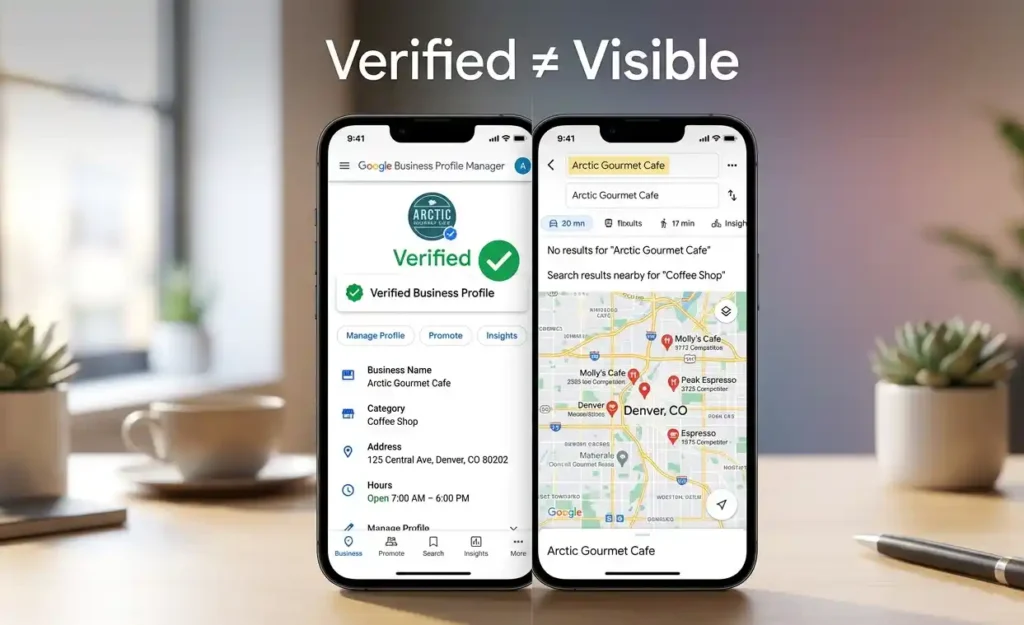
In most cases, your listing is still verified and fully active, but its perceived authority changes based on new ranking weights applied by Google. This is why visibility can drop suddenly even when no edits were made to your profile.
This kind of behavior is classified under the Visibility Failure System, which is used to diagnose all Map Pack ranking breakdowns caused by algorithm shifts and ranking instability.
The key point is simple: your profile didn’t lose eligibility; it lost relative ranking strength compared to competitors after the update.
How to Identify If Your Google Business Profile Visibility Drop Is Caused by a Google Algorithm Update
To identify whether your Google Business Profile visibility drop is caused by a Google algorithm update, you need to analyze ranking behavior patterns instead of assuming a technical fault.
The strongest signal is a simultaneous drop across multiple keywords in Google Maps while your profile remains verified, active, and unchanged.
Another key indicator is timing. If the decline aligns closely with a known Google core or local update, it usually points to algorithmic recalibration rather than an issue inside your profile.
Technical problems typically show isolated effects, such as indexing issues or partial visibility loss, rather than full ranking shifts.
You should also observe competitor movement. If multiple competitors gain visibility at the same time without major profile changes, it confirms a system-wide ranking adjustment rather than a single-profile issue.
If the drop is only keyword-specific, it may indicate a different issue related to keyword relevance rather than update volatility.
What Changes in Google Maps Rankings After a Local or Core Algorithm Update
When a local or core algorithm update rolls out, Google does not simply “lower” or “raise” rankings. Instead, it recalculates how every business in the Map Pack is evaluated, which causes temporary or permanent reshuffling in positions across your niche.
These updates primarily affect how Google balances proximity, relevance, and authority signals at scale, meaning even stable profiles can shift positions without any internal changes.
How Google Recalculates Proximity Signals in Map Pack Rankings
During updates, proximity becomes more dynamic rather than fixed. In some cases, Google increases the weight of distance for local intent queries, especially in highly competitive service areas.
This can cause nearby competitors to temporarily outrank stronger profiles simply because they are physically closer to the search location or mapped intent center.
How Category and Relevance Signals Shift After Updates
Google also reassesses category alignment and service relevance during updates.
If competing profiles are more tightly aligned with the search intent or have stronger service-category consistency, they may gain ranking advantage. This shift can make previously stable listings lose positions even without any profile edits.
Why Competitors Suddenly Replace Your Google Business Profile in Local Rankings
Competitor replacement in the Map Pack is usually a result of redistributed authority signals. Businesses with higher engagement, fresher reviews, or stronger local activity may temporarily rise during recalibration phases.
This creates the appearance of sudden ranking loss, when in reality the system is rebalancing trust and performance signals across all listings.
Common Google Business Profile Visibility Drop Patterns After Algorithm Updates
After a Google update, Google Business Profile visibility drops rarely happen randomly. Instead, they follow recognizable patterns that reflect how Google is recalibrating local rankings across your niche.
One of the most common signs is a sudden drop across multiple keywords in Google Maps at the same time, even though the profile remains active and unchanged. In other cases, you may see a partial loss of Map Pack positions where a listing moves from top 3 results to lower placements instead of disappearing completely.
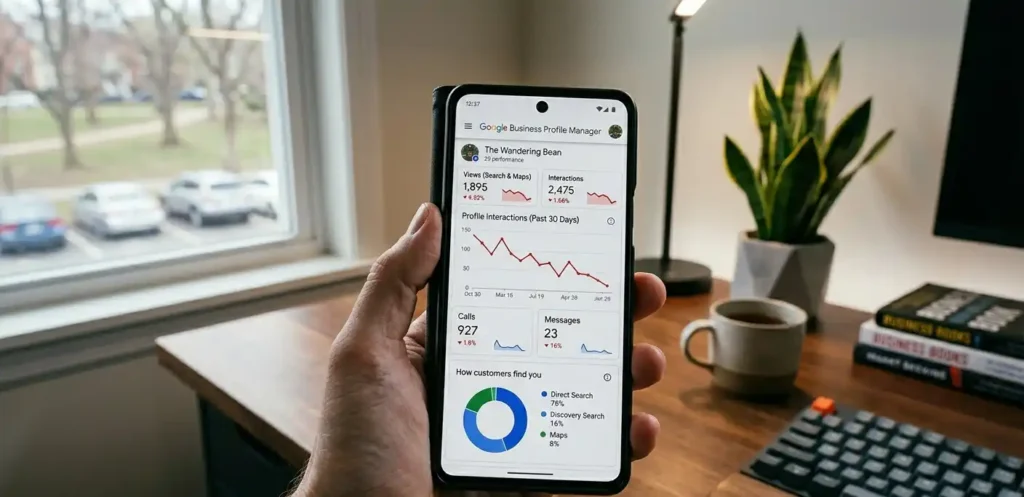
Some businesses notice stable rankings in search visibility but a decline in impressions inside GBP Insights, which signals reduced exposure rather than full deindexing.
In multi-location setups, one location may drop while others remain unaffected due to localized recalibration. You may also see inconsistencies between mobile and desktop Map Pack rankings during update periods.
- Sudden drop across multiple keywords in Google Maps
- Partial loss of Map Pack positions (top 3 → lower rankings)
- Stable profile but declining impressions in GBP Insights
- One location drops while others remain unaffected
- Mobile and desktop Map Pack inconsistencies
When this happens specifically at a keyword level, it often overlaps with keyword visibility issues in Google Maps results.
How to Recover Google Business Profile Rankings After a Google Update
Recovering Google Business Profile rankings after a Google update is less about making quick edits and more about stabilizing the signals Google uses to reassess your listing. The goal is to rebuild trust and relevance in a consistent, controlled way rather than forcing changes that create more volatility.
Start by ensuring your primary category still accurately matches your core service intent. If this alignment is off, Google may continue ranking competitors that are better matched to updated relevance signals.
Next, strengthen service-based signals inside your Google Business Profile by clearly reinforcing what you actually offer through services, descriptions, and on-profile consistency.
Review activity also plays a major role. Instead of sudden spikes, maintain consistent review velocity over time, as unnatural bursts can delay stabilization during recalibration periods.
Engagement signals such as calls, clicks, and direction requests should also be encouraged naturally, since Google uses real user interaction as a trust indicator during update recovery phases.
Finally, rebuild local authority through consistent citations and brand mentions across trusted platforms to reinforce your business legitimacy.
- Reconfirm primary category relevance to your service intent
- Strengthen service-based signals inside your Google Business Profile
- Maintain consistent review velocity instead of sudden spikes
- Improve engagement signals (calls, clicks, directions)
- Rebuild local authority signals across citations and mentions
Mistakes That Make Google Business Profile Drops Worse After an Update
After a Google update, most ranking recovery failures happen because business owners react too aggressively instead of allowing Google’s recalibration process to settle. These actions usually confuse the system further and extend the visibility drop instead of fixing it.
Changing your primary category repeatedly after a ranking loss sends inconsistent relevance signals, which delays stabilization. Editing your business name with keywords to “force” rankings can also create trust issues instead of improvements.
In more severe cases, deleting and recreating your Google Business Profile resets accumulated authority signals, effectively starting from zero.
Buying spam backlinks or fake reviews introduces unnatural patterns that can harm long-term visibility. Even frequent unnecessary edits during volatility can interrupt the recovery process and keep rankings unstable.
- Changing primary category repeatedly after ranking loss
- Editing business name with keywords to “force” rankings
- Deleting and recreating your Google Business Profile
- Buying spam backlinks or fake reviews
- Making frequent unnecessary profile edits during volatility
How Long It Takes to Recover Google Business Profile Rankings After a Google Update
Recovery time after a Google Business Profile ranking drop depends on how quickly Google completes its recalibration of local ranking signals. In most cases, visibility does not return immediately because updates operate in cycles, not instant fixes.
For many businesses, partial recovery can begin within a few days, but full stabilization often takes several weeks depending on competition level, location density, and authority strength.
Highly competitive markets may experience longer volatility periods as Google continues adjusting relative rankings between businesses.
Profiles with consistent historical signals and fewer disruptive changes typically recover faster, while unstable profiles take longer to normalize.
How Long It Takes to Recover Google Business Profile Rankings After a Google Update
Recovery time after a Google Business Profile ranking drop depends on how quickly Google completes its recalibration of local ranking signals.
In most cases, visibility does not return immediately because updates operate in cycles, not instant fixes.
For many businesses, partial recovery can begin within a few days, but full stabilization often takes several weeks depending on competition level, location density, and authority strength.
Highly competitive markets may experience longer volatility periods as Google continues adjusting relative rankings between businesses.
Profiles with consistent historical signals and fewer disruptive changes typically recover faster, while unstable profiles take longer to normalize.
How to Prevent Future Google Business Profile Ranking Volatility After Algorithm Updates
Preventing future Google Business Profile ranking volatility depends on maintaining consistent, stable signals that Google can reliably evaluate across updates.
Most drops happen when profiles have irregular activity or conflicting relevance signals, so stability is the key factor.
Keep your business information, especially NAP and core details, consistent without unnecessary edits. Your primary category should remain aligned with your main service so Google continues to understand your relevance clearly across updates.
Build steady review growth instead of irregular bursts, and maintain ongoing engagement signals like calls, clicks, and direction requests to reinforce real user interaction.
Supporting your profile with consistent local citations and mentions also helps strengthen long-term authority and reduces sensitivity during future algorithm changes.
- Maintain stable NAP and business information
- Keep consistent primary category alignment
- Build steady review growth over time
- Maintain engagement signals (calls, clicks, directions)
- Strengthen local citations and brand mentions